 15 Minutes
You don't lose hours. You lose quarter-hours.
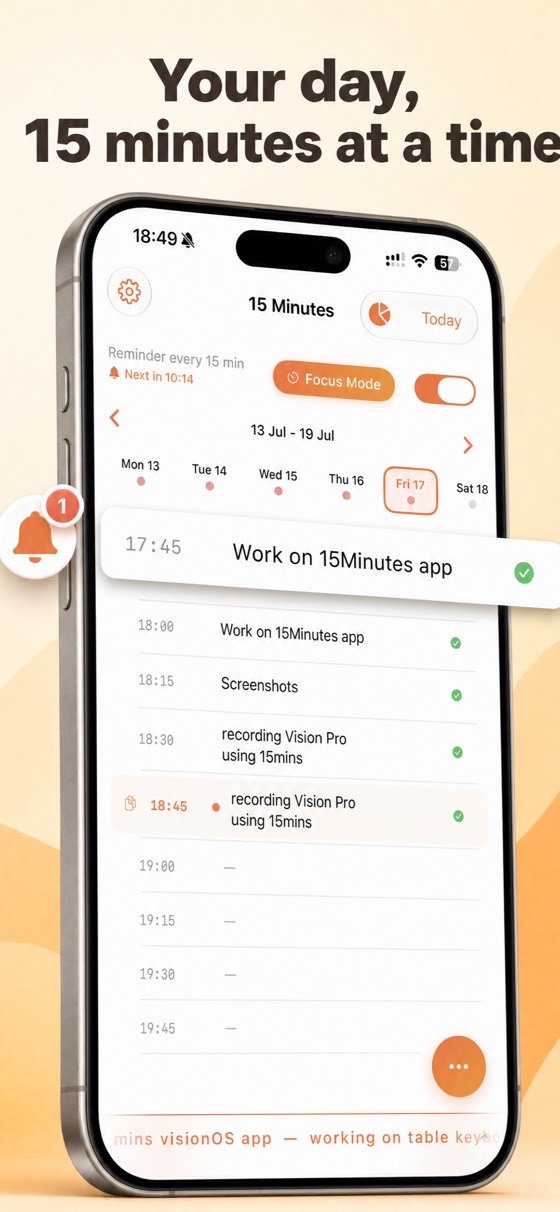
Every fifteen minutes, a notification asks what you are doing. Answer in a few words, straight from the notification. After a week, you know exactly where the day went.
No account, no tracking. Your log stays on your phone.
Ask anyone where their day went and they will say “meetings” or “admin”. Ask them to account for the afternoon in quarter-hours and they cannot. Time does not disappear in blocks. It leaks in fifteen-minute pieces nobody remembers.
Answer, and keep working.
The whole method rests on answering honestly and immediately. Anything that takes more than five seconds will not survive a busy day.
A notification, every 15 minutes
Across the hours you choose. Nothing outside them.
Answer in a few words
Reply directly from the notification — you never have to open the app.
Read the day back
A complete log of where the time went, written by you, in your own words.
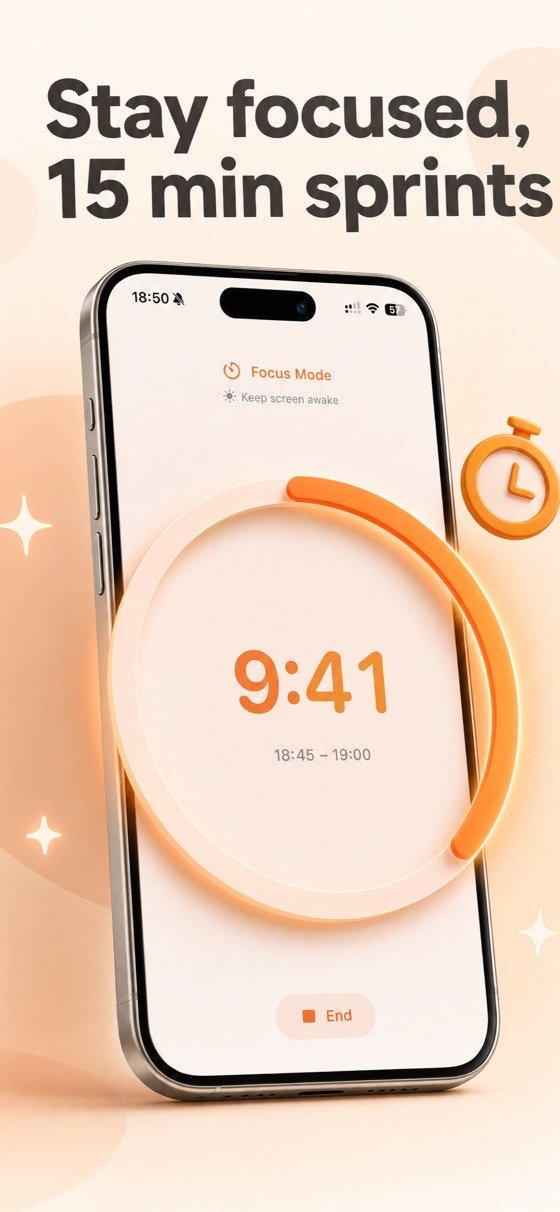
Work in fifteen-minute sprints.
A countdown ring shows what remains of the current slot, and the screen stays awake while it runs. Short enough to start something you have been avoiding.
- A countdown ring for the current fifteen-minute slot.
- The screen stays awake while a sprint is running.
- Short by design — fifteen minutes is small enough to begin, and long enough to matter.
- Your log fills itself as you go, without a separate step.
Small enough to be honest.
Short enough to remember
Asked at the end of the day, nobody recalls the afternoon accurately. Asked every fifteen minutes, the answer is always true.
Your own words
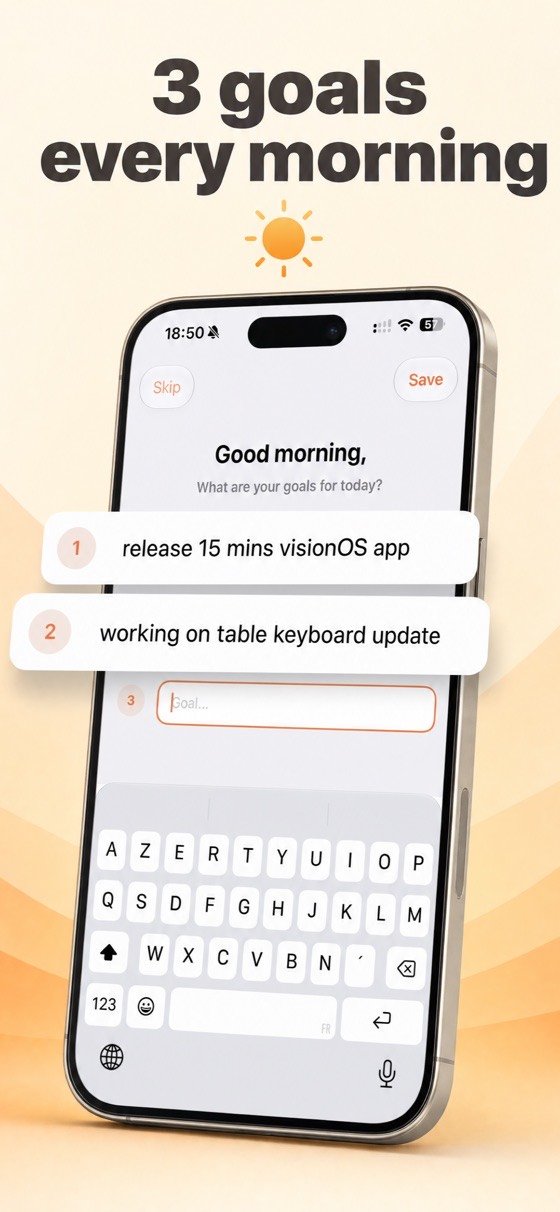
No categories to pick from, no projects to configure. You write what you were doing, which is why you actually do it.
Nothing leaves the phone
No account, no sync, no analytics. The log is yours and stays where it was written.
Deliberately plain.
A tracker you have to think about is a tracker you abandon.
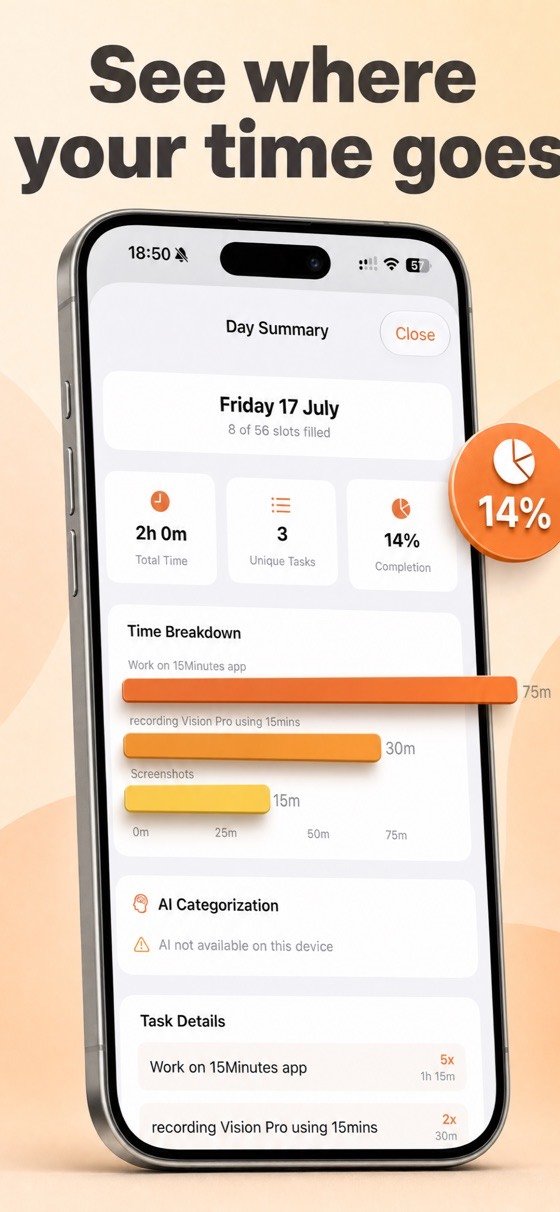
Knowing where the time goes.
Why time estimates are always wrong, and what a week of honest logging actually shows.

Good to know.
What does it cost?
It is a paid app: a single purchase of $3.99, with no subscription and no in-app purchases. You buy it once and everything is included.
Isn't a notification every fifteen minutes annoying?
It is the point, and it is bounded: you choose the hours, and there is nothing outside them. Most people run it for a week or two to see where the time goes, then use it in bursts rather than permanently.
Do I have to open the app each time?
No. You answer directly from the notification in a few words, which is what makes the method survive a normal working day.
Is my log sent anywhere?
No. There is no account and no sync — what you write stays on your phone.
Which devices?
iPhone, on a recent version of iOS.
One week is enough to find out.
Most people are surprised by the third day.
Download on the App Store